Multi-Instrument Tuning Checklist for Faster Practice Starts
Why tuning order matters when switching instruments quickly
When one session includes guitar, ukulele, and violin, random tuning order usually creates extra work. Players tune one instrument, switch, then return because the first one drifted during setup delays. A checklist solves that by turning tuning into a controlled sequence instead of repeated guesswork.
The time savings come from consistency, not speed tricks. If each instrument gets the same preflight and the same verification window, fewer corrections are needed later. That means more practice time and less setup frustration.
Start each session from the main tuner dashboard and decide your instrument order before plucking the first note. One clear order prevents mid-session switching that breaks focus and increases retuning loops.
This guide gives a short pre-practice setup, a timed rapid pass, and a final confirmation routine. It is built for real sessions where players want reliable tuning without adding extra apps.
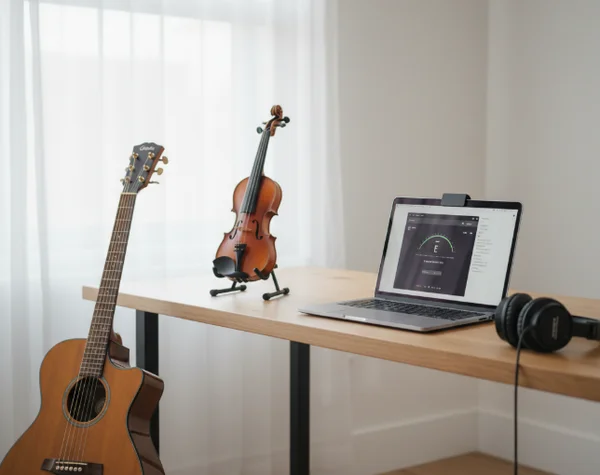
Build a pre-practice setup that works across instruments
Verify browser audio capture, reference pitch target, and room noise baseline
A multi-instrument session should begin with one audio check, not three separate troubleshooting rounds. First confirm that the browser can capture microphone input on a secure page. MDN documents that getUserMedia requires a secure context, so microphone access should run from HTTPS content (MDN getUserMedia).
Next, lock one microphone source for the whole session. Switching between built-in and external mics during tuning changes the audio profile and can make readings inconsistent. Keep device selection fixed until all instruments pass final confirmation.
Then set a simple room baseline:
- Pause fans or background speakers.
- Place the mic at a repeatable distance.
- Pluck one test note on the first instrument.
- Watch indicator behavior for 3 to 5 seconds.
If the indicator swings widely before any tuning begins, adjust room and gain first. Tuning pegs should not be touched until the detection signal is stable enough to trust.
For quick access, keep your usual instrument pages open in adjacent tabs from the instrument tuner entry point. That avoids search delays while preserving one audio context.
Choose a stable instrument order for guitar, ukulele, and violin sessions
Order matters because string families respond differently after first adjustments. A practical order is to start with the instrument that has the strongest room projection, then move to quieter instruments. This gives the microphone a clear initial signal and helps calibrate listening attention.
One effective order for many home setups is:
- Guitar first for broad signal and easy visual lock.
- Ukulele second for quick four-string alignment.
- Violin third for final precision checks.
After each instrument, run one fast recheck of the previous one before moving on. This prevents large drift from accumulating until the end of the session.
If the room is noisy, reverse the order so quieter instruments are tuned before ambient noise increases. The exact order can vary, but it should remain consistent inside one practice environment.
If two players share the same room, assign one fixed tuning lane per person. For example, player one handles guitar then violin, while player two handles ukulele then guitar backup. A fixed lane prevents accidental peg changes on the wrong instrument and keeps microphone distance predictable. Team sessions improve when everyone follows one order instead of improvising a new path each day.
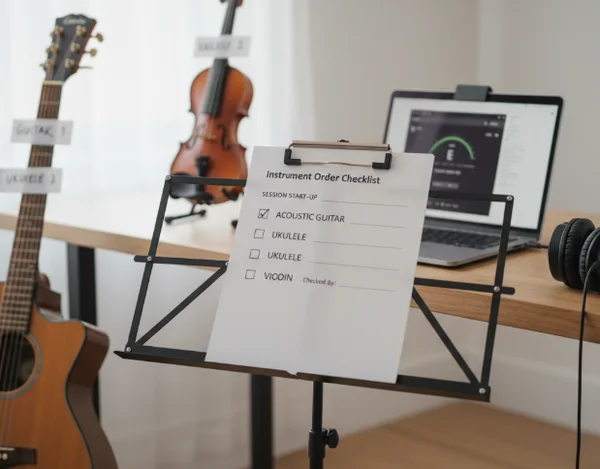
Run a timed checklist to reduce retuning loops
A 3-step rapid pass for first alignment on each instrument
The rapid pass should be short, repeatable, and nearly identical across instruments. Use this three-step structure:
- Align each string once to the center target.
- Revisit all strings in the same order for micro-corrections.
- Repeat one final sweep at lower pluck intensity.
This method works because early peg movement changes overall tension balance. A second and third pass catch those interactions before they become audible during playing.
MDN notes that AnalyserNode.fftSize must be a power of 2 between 32 and 32768 (MDN fftSize). In user terms, analysis settings can trade responsiveness for smoothness. That is why a rapid pass should focus on stable center behavior over several seconds, not on every instantaneous flicker.
Keep each instrument's rapid pass under two minutes. Short passes reduce over-adjustment and preserve ear focus for the final confirmation stage.
Final confirmation pass before rehearsal or recording
After all instruments finish rapid pass tuning, run a unified confirmation pass. This is where small cross-instrument drift is corrected once, not repeatedly.
Use a 60-second confirmation routine:
- Play one reference string on instrument A.
- Move to the closest reference string on instrument B.
- Repeat on instrument C.
- Return to instrument A and verify the first string again.
MDN documents smoothingTimeConstant as a range from 0 to 1 with a default of 0.8 (MDN smoothingTimeConstant). A steadier indicator is helpful in this phase because the goal is confirmation, not large correction.
If one instrument fails this confirmation loop, do not restart the entire session. Retune only that instrument and rerun the short cross-check. Targeted correction keeps momentum and protects practice time.
Use the built-in reference note and tuner controls for the final pass when players want both visual and ear-based confidence before rehearsal.
Key takeaways and a reusable checklist card for every session
A multi-instrument session becomes easier when tuning follows a fixed sequence. Stable capture setup, consistent instrument order, and timed passes remove most repeated corrections.
The session card can be summarized in one line: preflight once, rapid pass each instrument, confirm once across all instruments. This workflow pattern is simple enough for beginners and reliable enough for regular ensemble prep.
Print the checklist or save it near your music stand. Reusing the same process every day builds faster starts, steadier tuning outcomes, and more time for actual playing.
For weekly review, track one metric: total minutes spent tuning before first song. If that number drops over two weeks, the checklist is working. If it rises, inspect where delays happen, such as browser setup, room noise, or instrument order changes. This simple metric keeps the process practical and measurable without turning practice into admin work.